Cloudflare DNS Setup
Use these steps to publish Arsel SPF, DKIM, and DMARC records in Cloudflare.
- Sign in to Cloudflare and open your domain.
- Go to DNS > Records.
- Click Add record for every record shown in Arsel.
- For DKIM CNAME records, set Proxy status to DNS only (gray cloud).
- Keep TTL on Auto (or use a low TTL if your policy requires it).
- Save each record and wait for DNS propagation.
- Return to Arsel and wait for the domain status to update automatically.
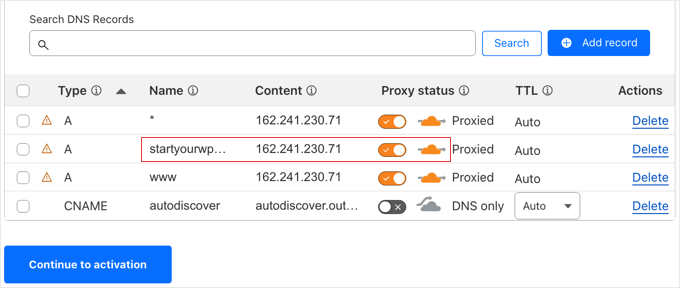
Cloudflare - Create DNS records
Once your records are published, return to Domain Verification to complete the process.