Amazon Route 53 DNS Setup
Use these steps to publish Arsel SPF, DKIM, and DMARC records in Amazon Route 53.
- Sign in to AWS and open the Route 53 console.
- Select Hosted zones and choose your domain.
- Click Create record for each Arsel entry.
- Match each Arsel record exactly:
- Type (
TXT,CNAME) - Record name (
@,_dmarc, DKIM selector) - Value/Route traffic to
- Type (
- For TTL, keep your default policy or use a low value while validating.
- Save records and allow DNS propagation.
- Return to Arsel and wait for the domain status to update automatically.
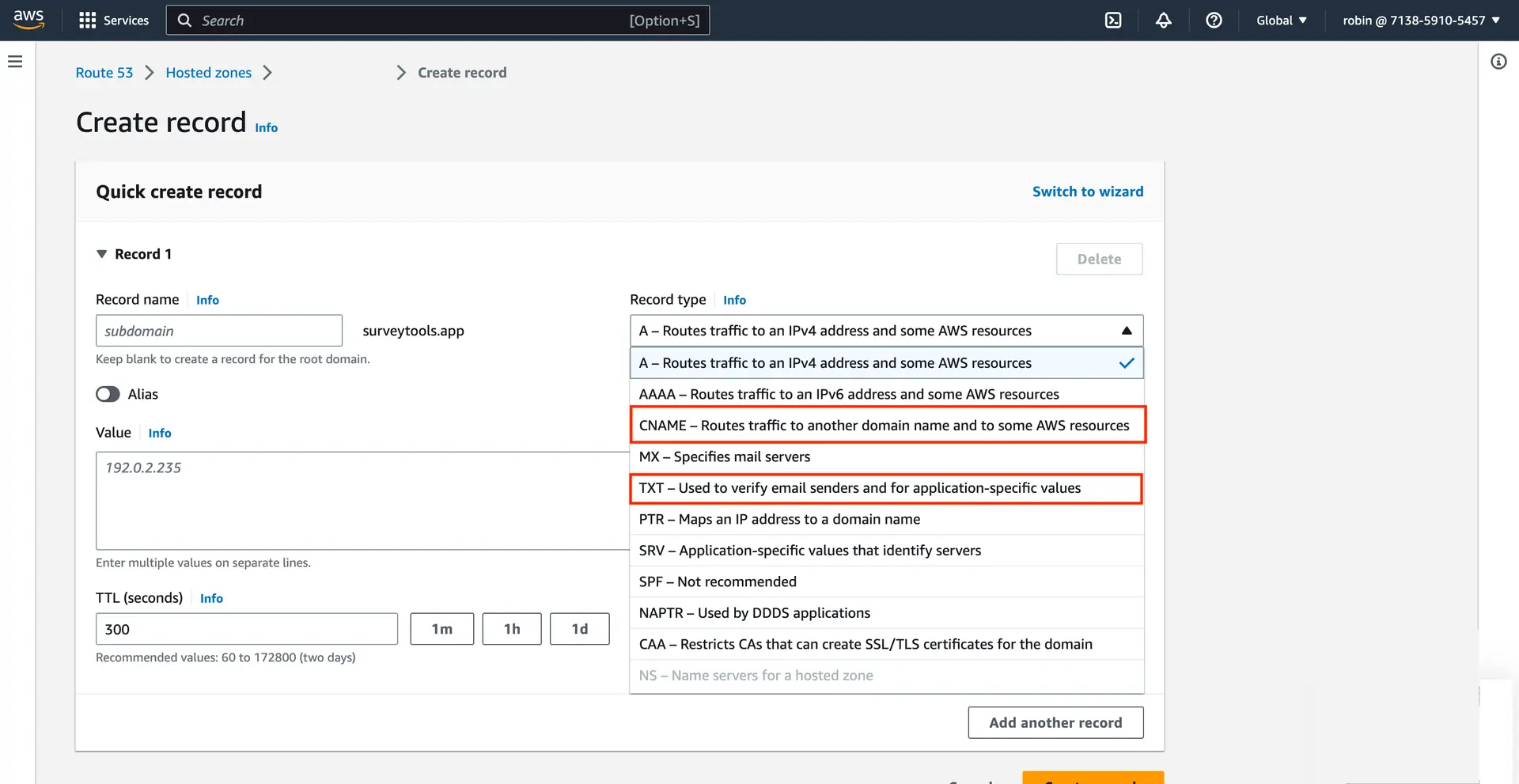
AWS Route 53 - Creating records
Once your records are published, return to Domain Verification to complete the process.